





Shopping Apps Australia: What They're Actually Costing Your Screen Time
Australian mobile users check their phones an average of 58 times a day. Shopping and retail apps claim more of those checks than most people realise, through badge notifications, flash sale countdowns, and re-engagement alerts. Here's how to audit your apps and replace monitoring with automation.

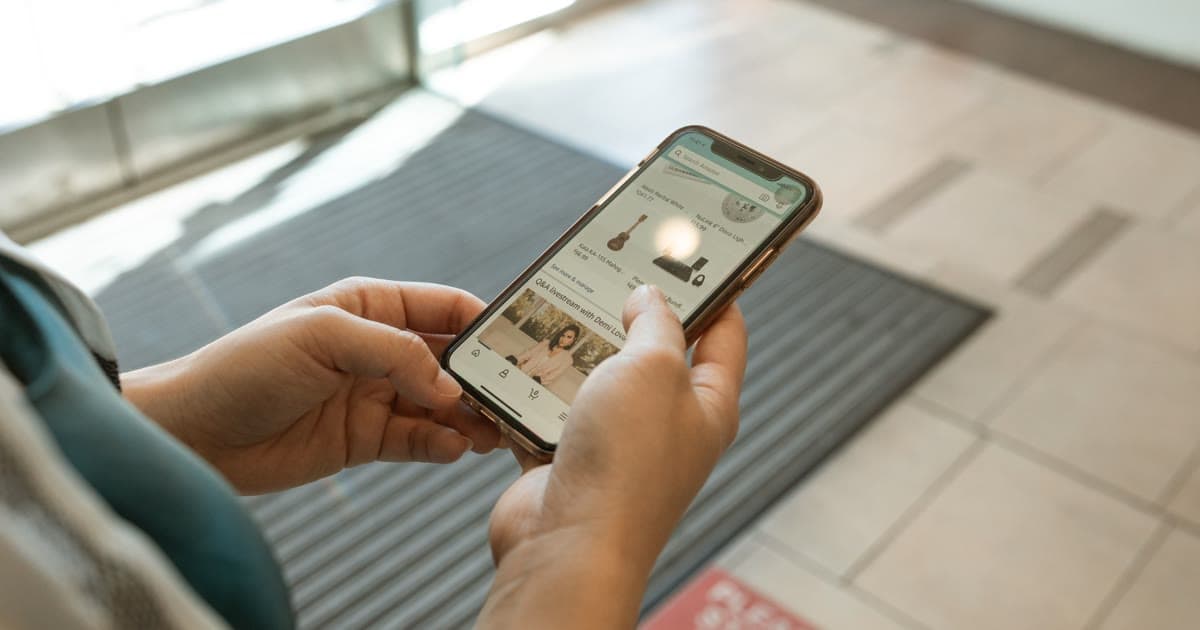
Open the App Library on your iPhone or the app drawer on Android and count how many shopping apps you have installed. For most Australians, the number is higher than expected. Amazon, eBay, Kmart, Target, JB Hi-Fi, Myer, Catch, The Iconic, possibly Shein or Temu alongside a few retail brand apps from stores you bought something from once. Each one is sitting on your phone with push notifications enabled, badge counts accumulating, and re-engagement logic running in the background designed to bring you back.
The average person checks their phone 58 times a day.[010] Shopping apps do not cause all of those checks, but they contribute more than most people realise. Not through long deliberate browsing sessions, but through brief, repeated opens that feel incidental in the moment and only become visible when you add up the weekly total.
This post covers why shopping apps are specifically designed to pull you back, how to run a quick audit of what is actually on your phone, and how to replace habitual checking with automation that does the same job without the time cost.
Why Australian Shopping Apps Keep Pulling You Back
Shopping app design is not neutral. Every major Australian retailer has invested significantly in engagement mechanics that increase the frequency of app opens, independent of whether those opens lead to purchases.
The most visible mechanism is the notification badge. That small number sitting on the corner of the app icon is not there to inform you of something urgent. It is there because research consistently shows that unresolved visual cues create a low-level compulsion to clear them. Retailers know this. A badge for "3 items back in stock" or "sale ending in 2 hours" is engineered to trigger an open.
Push notifications work on the same principle, extended to the lock screen. The Kmart app sends sale notifications. Amazon sends price-drop alerts and deal-of-the-day pings. eBay sends saved-search updates and auction end alerts. Each notification is a micro-interruption designed to create a moment where opening the app feels like the natural response.
Flash sale mechanics add urgency. Countdown timers, "only 3 left," and "limited-time offer" labels are common across every major Australian shopping platform. They work not because the deals are always exceptional, but because time pressure compresses the evaluation window. You check the app when you were not planning to, because the timer makes not checking feel like a potential loss.
None of this is secret. It is simply how consumer apps are built to maximise engagement, and shopping apps are optimised for it more aggressively than most because every open is a potential conversion.
"I counted the shopping apps on my phone one morning and came up with seven. Four of them had notification badges. I had not opened any of them that day, but something in my awareness registered that they were there, each one with a small number in the corner. I started thinking about what those badges actually were. Not messages. Not things that required a response from me. Just signals designed to make me feel like something was waiting. Once I saw it that way, the apps started to feel less like tools and more like they were making demands. I deleted four of them that afternoon."
Joey Krosch, Founder of FindFetcher
The App Audit: What Is Actually on Your Phone
Most people have not consciously chosen their shopping app lineup. The collection grew over time, one download at a time, each triggered by a specific purchase or a sale a friend mentioned.
The audit takes about ten minutes and usually produces a number that surprises people.
Open your phone's app list and identify every app in the Shopping and Food category. On iOS, you can find this in Screen Time under App Categories. On Android, it appears in Digital Wellbeing under app usage by category. List every app you find.
For each app, ask three questions:
Have I made a purchase through this app in the last 90 days? If no, the app is not functioning as a buying tool. It may still be functioning as a browsing tool, but that is a different question.
Do I have a specific item I am actively monitoring through this app? If yes, that is a legitimate monitoring use case. If no, the app is likely open-loop: you check it, something catches your eye, you do not buy, you close it, you return a few days later. That loop has no defined endpoint.
Am I acting on the notifications this app sends? If you ignore most of them, they are not delivering useful information. They are pulling you back into the app for the benefit of the retailer, not for yours.
Apps that fail all three questions are worth removing.
The Two Modes of Shopping App Usage
The average Australian spends two hours and thirty-five minutes a day on their phone.[002] Within that time, shopping app usage splits into two distinct modes that have very different implications for your screen time.
Active purchasing is intentional. You know what you want to buy, you open the app to find it or complete the transaction, and you close the app when the task is done. This mode is efficient and appropriate. The apps earn their place.
Habitual monitoring is the other mode. You open the app without a specific purchase intent, browse items you have been looking at, check whether anything has changed in price or availability, and close without buying. You return a few days later and do the same thing. The loop runs indefinitely.
The habitual monitoring mode is where most shopping app screen time accumulates, and it is entirely automatable. If you are checking whether a price has dropped, software can do that check for you continuously and alert you when it does. If you are watching for a specific item to come back in stock, the same logic applies. The reason you keep opening the app is because nothing has happened yet, and you have no other mechanism for knowing when something does.
79% of Australians have shopped online between 9pm and 5am.[042] That late-night window is where habitual monitoring is most concentrated. Between 7pm and 10pm, Australians make 35% of all their daily online purchases.[015] Evening is when most people have the time and attention to think about pending purchases, and it is also when retailers know engagement is highest. It is the window where monitoring loops are most likely to run.
For more on the evening shopping pattern specifically, see Why Australians Shop Online Late at Night.
Which Apps to Keep and Which to Delete
The simple framework:
Keep apps you purchase through actively and regularly. If you buy from Kmart several times a month and the app genuinely makes that faster, it earns its place. If you have a current item being tracked through eBay that you intend to bid on, keep it until that transaction resolves.
Delete apps that primarily serve monitoring purposes for items you have no firm plan to buy. If you have been watching a product on Amazon for three months and not bought it, the honest answer is that there is no clear purchase intent behind the monitoring. You can describe what you want in FindFetcher and let automation watch it while you stop opening the app.
Delete apps that send more notifications than you act on. If the JB Hi-Fi app sends three notifications a week and you open one of them, the other two are pure interruption. The app has a worse signal-to-noise ratio than an email list you can unsubscribe from in one click.
Delete apps from retailers you have used once. A single purchase two years ago does not justify the ongoing attention the app is claiming from your phone.
95% of Australian adults access the internet via their phone.[011] The phone is not going anywhere as a shopping channel. The question is whether each app is earning the attention it claims.
The Automation Alternative: Monitoring Without the App
The monitoring use case is the legitimate reason most shopping apps get opened repeatedly. There is a real item you are watching. There is a real price or availability signal you are waiting for. The app just does not have a mechanism to tell you when it happens and close the loop.
Automation solves this. You describe what you want and set your conditions. The monitoring runs continuously in the background and sends an email when something matches. You never open the app for that item again until you receive the alert.
This is what FindFetcher was built for. You set a fetch for the item, describe what matters to you, add a price target if relevant, and the app does the checking. You keep your phone open for things that actually require your presence. The monitoring items stop pulling you back.
For a practical walkthrough of setting this up across different product categories, see How to Automate Your Online Shopping.
Australians already spend 41 hours a week online across all devices.[001] The shopping app screen time that accumulates on top of that is largely invisible because it happens in fragments. The audit makes it visible. The question after that is straightforward: is that time producing purchases, or is it just monitoring that software could do better?
A Note on Notification Settings
If you decide to keep a shopping app, you do not have to accept its default notification settings. Every major Australian shopping app allows granular notification control in its settings or through your phone's system notification settings.
Turn off all marketing notifications. These include sale announcements, deal-of-the-day pings, and promotional push alerts. You are not losing information you need. You are removing interruptions designed to pull you into a browsing session with no defined endpoint.
Consider keeping only transactional notifications: order dispatched, delivery update, price change on a specific saved item if the app has that feature. These are notifications that tell you something happened to a transaction in progress, which is useful. Promotional notifications are designed to make something happen to your behaviour, which is a different category entirely.
For a broader guide to managing the shopping-specific slice of your phone usage, see How to Reduce Screen Time From Shopping Apps in Australia.
The Practical Next Step
Run the ten-minute audit this week. Count the apps, apply the three questions to each one, and remove the ones that fail. Then take whatever items you were monitoring through the deleted apps and set fetches for them so the monitoring continues without the app.
The items you were watching do not disappear when you delete the app. The price you were waiting for is still out there. The difference is that you are no longer the one doing the watching.
If you want to stop doom scrolling through shops but still get the deal when it happens, that is exactly the gap automated alerts fill. Start with the highest-value item you are currently monitoring manually and set a single alert for it. See how it changes the frequency with which you open shopping apps for that item.
Start Free Trial and set your first fetch. No app install required.
For the broader context on saving time on online shopping generally, including the research habit and the comparison-shopping loop, that post covers the full picture.
FindFetcher monitors prices and availability across Australian retailers and sends an email when conditions are met. No app required.
Hero image: Photo by RDNE Stock project on Pexels.
Frequently Asked Questions
Which shopping apps do Australians use most?
The most commonly installed Australian shopping apps include Amazon AU, eBay, Kmart, Target Australia, JB Hi-Fi, Myer, Catch, and The Iconic. Most users have between two and five shopping apps installed, though the total is often higher than expected until an explicit app audit is done. Discount platforms like Shein and Temu have also grown significantly in Australia over the past two years.
How much time do Australians spend on shopping apps?
There is no single published figure for shopping-app-specific screen time in Australia, but the broader context is clear: the average Australian spends 2 hours 35 minutes per day on their phone and checks it an average of 58 times a day. Shopping and retail apps account for a measurable share of those checks, particularly in the 7pm to 10pm window when 35% of daily online purchases occur.
Should I delete my shopping apps to reduce screen time?
It depends on how you use each app. Apps you open with active purchase intent earn their place. Apps that trigger habit-checking without purchases, send more notifications than you act on, or keep you monitoring items you have no firm plan to buy are worth removing. Automated price alerts can replace the monitoring function so you get the relevant signal without needing any app installed.
How do I check my shopping app screen time on iPhone?
Go to Settings, then Screen Time, then See All App and Website Activity. Shopping and retail apps appear under the Shopping and Food category in the App Categories section. Tap any individual app to see its daily breakdown. Most users find the weekly total for shopping apps is at least double what they would have estimated before checking.
Can I track prices without having shopping apps installed?
Yes. FindFetcher monitors prices and availability across Australian retailers and sends an email when your conditions are met. You describe what you want, set a price target if relevant, and the monitoring happens without you opening any app or website. You only engage when something actually matches your criteria.

Founder of FindFetcher. Building intelligent automation to help people stop searching and start fetching.
Straight to your inbox.
Get short, useful tips on shopping smarter. No spam, unsubscribe any time.
Related Articles
Best Meeting Scheduling Tools for Australian Solo Founders and Small Teams in 2026
Calendly and Cal.com compared for Australian solo founders and small businesses: which one to pick, what it costs, and why the back-and-forth of booking a meeting should be automated away.
Best Focus and Screen-Time Apps for Australians in 2026
AntiSocial and other screen-time tools that reduce phone use, for everyday life, not just shopping. How they work, who they suit, and how to make the limits stick.
Best Budgeting Apps for Australians in 2026
4 budgeting apps that work for Australians in 2026: Frollo, WeMoney, Up, and Spriggy. What each one does, who it suits, and how they fit into an automated money routine.